The main questions about Q-Bot
Discover answers to your main questions about Q-Bot, an innovation by Q-Leap enabling two-factor authentication via a mobile app.
All frequently asked questions
Using Q-Bot
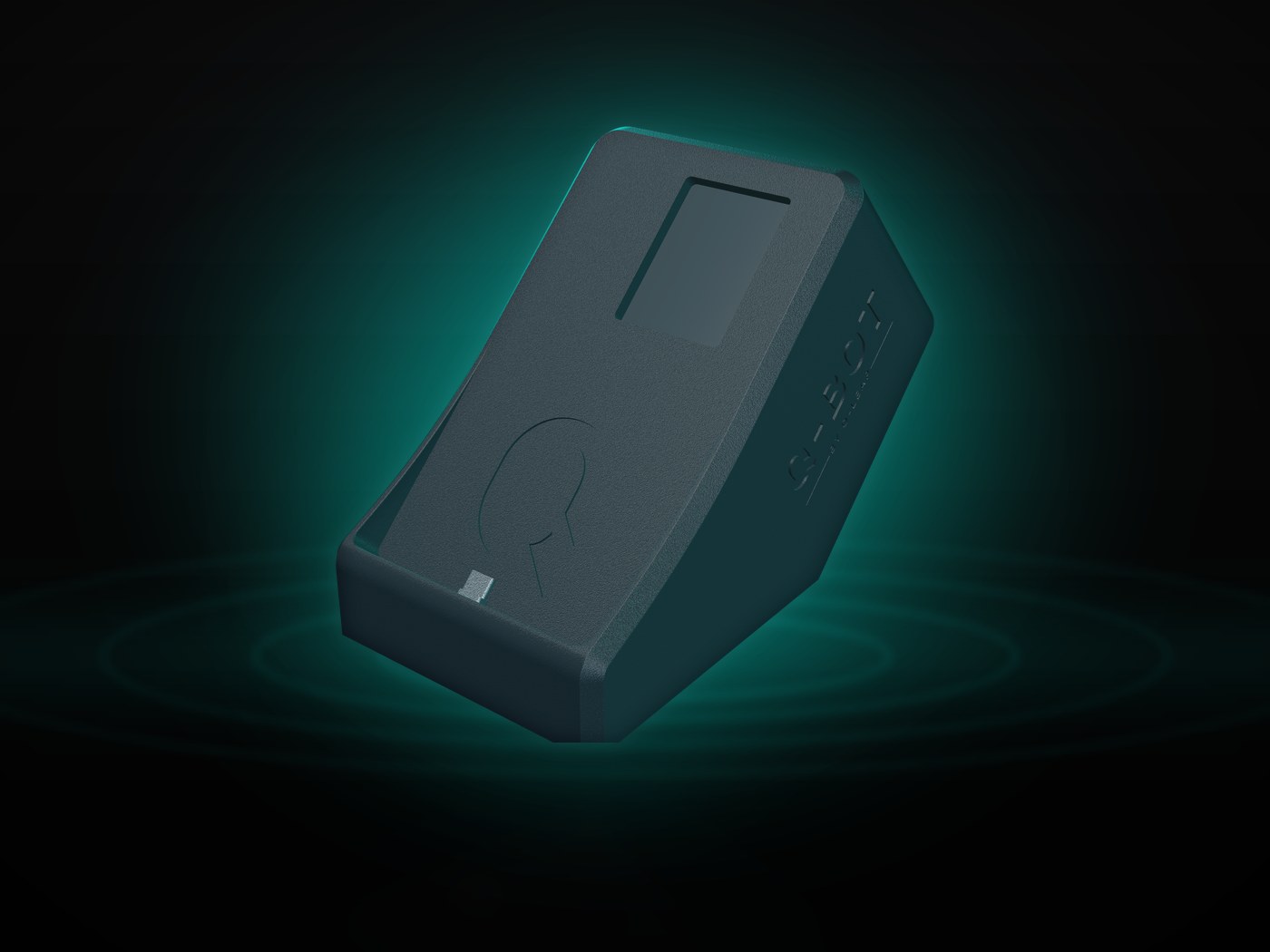
Q-Bot is a robot designed to automate two-factor authentication (2FA) by driving the real 2FA app on a real device. The enclosure sits on a desk, a smartphone is connected to it over USB, and your automated tests trigger the 2FA step with a single HTTP call.
A second authentication factor is now the norm (dual authentication, or 2FA) and it increases the security of access to applications and computer systems in general. Luxtrust is a Luxembourg-based provider of secure access to bank accounts, monetary transactions or to strengthen confidence in cybersecurity.
With a robot like Q-Bot, which drives the 2FA app itself, it becomes possible to automate testing processes that were previously impossible to automate.
Discover Q-Bot and its features: q-bot.eu
Q-Bot works with a mini-computer the size of a credit card from the Raspberry Pi brand. This mini-computer, which runs under Linux, coordinates the web interface, the API and scenario execution. It drives, over ADB, the smartphone wired to it over USB: every tap in the scenario lands on its physical screen, in the genuine app.
When Q-Bot starts, its web server starts automatically. The latter is listening.
Handling a request always follows the same actions:
- Your test scenario calls the Q-Bot API, or the companion app detects the 2FA notification on the device
- Q-Bot replays the scenario saved for that step
- Every tap is delivered to the device through ADB and lands on its physical screen
- The wait times set in the scenario give the app time to respond
- The 2FA step resolves in the genuine app, never in a simulator
- The test continues from exactly where it left off
Q-Bot allows to automate the execution of the most critical test cases that until now could not be executed because of the manual step that two-factor authentication imposes. Those are exactly the journeys that matter most: login, document signing, transaction validation and official requests.
All features that require a two-factor authentication step cannot be automated without a bot like Q-Bot.
Discover the main components of Q-Bot: the technical specifications
Because Q-Bot gives them back the one feature they had to leave out. A tester has to be able to cover the whole application; skipping two-factor authentication means shipping it unverified. With Q-Bot those journeys are testable, in under ten seconds and with no human intervention.
The testers’ objectives are to validate that the applications comply with the requirements defined upstream.
Testers, especially automation specialists, need to be able to interact with the full functionality of an application. Bypassing certain features such as two-factor authentication puts the quality of the delivered application at risk. With Q-Bot, these features can now be tested, which results in a higher quality of the delivered application.
For testing activities, Q-Bot is a simple, safe and effective solution:
- It is very easy to use with its two types of access: Web and API
- There is no software installation required. A simple connection to the company network is required
- The 2FA step is handled in less than 10 seconds
- Execution is deterministic: the tap lands on the real app, there is nothing to recognise.
- A single robot can be used by an entire team. Retrieval requests are queued and processed one after the other in FIFO (first in first out) order
Discover Q-Bot and its features: q-bot.eu
Q-Bot is for all IT professionals who want to significantly increase the quality of their applications by automating the most critical feature test cases that until now have been either manually tested or ignored. They are the testers, the developers, the project managers, and anyone committed to delivering quality applications.
With Q-Bot, they won’t have to spend hours continually testing critical functionality by hand and can focus on higher value-added quality control activities.
Q-Bot drives your real 2FA app on a real smartphone, wired over USB and driven through ADB, so it works with any app that runs on Android, with no shared secret to obtain. Already validated with LuxTrust Mobile, Microsoft Authenticator, Google Authenticator and itsme.
If you want to know whether your own app works with Q-Bot, do not hesitate to contact us by email at bot@q-leap.eu or by phone at +352 20 21 17.
No, and that is a deliberate choice. Q-Bot drives a real smartphone connected over USB, using ADB, so it works with any 2FA app running on Android: LuxTrust Mobile, itsme, Microsoft Authenticator, Google Authenticator. Automating an iOS device relies on different mechanisms, which Q-Bot does not cover today.
No. Q-Bot does not need the shared secret used to recompute a one-time code, because it recomputes nothing: it drives the genuine 2FA app on a smartphone connected over USB, the way a user would. That is what lets it work with LuxTrust Mobile or itsme, whose secret cannot be exported.
Yes. The API exposes GET /get-luxtrust-otp, which returns the one-time code currently shown by the LuxTrust app on the connected phone. Your test reads the value and enters it wherever it is needed. The code is read off the genuine app, not recomputed from a shared secret.
Yes. The device has a small built-in display, and the API exposes POST /display-image to show an image on it. A journey that requires scanning a QR code therefore runs end to end: your test sends the image, and the phone sitting in the cradle scans it.
Integration & automation
Once Q-Bot is connected to the corporate network and reachable from the testers’ machines, you can run an authentication scenario straight away from the web interface. The scenario itself is built visually, on a screenshot of the 2FA screen: numbered tap points and wait times, with no script to write.
In use, a scenario is triggered in one of two ways: automatically, when the companion app installed on the device under test detects a 2FA notification, or by calling the Q-Bot API from your automated tests. All the main automation technologies (Selenium, WebdriverIO, Cypress, Appium, Robot Framework, Cucumber and others) can call an API.
Two ways. Either your test calls GET /scenarios/:id/execute on the local network, or the companion app installed on the phone watches for 2FA notifications and fires the matching scenario on its own the moment one arrives. Both paths coexist in the same environment.
Selenium, Cypress, Appium, Playwright, Robot Framework, Katalon, TestComplete, Jenkins CI and GitLab CI, and more broadly any pipeline that can make an HTTP call. There is no SDK, no proprietary plugin and no agent to install: your test calls a URL, which any tool can do.
Yes, and that is its main use. A scenario is triggered by an HTTP call, so from any step of Jenkins, GitLab CI or another orchestrator, with no SDK and no agent to install. Your night runs clear the 2FA step with nobody in front of the screen.
They are handled one after another, in the order they arrive. The box drives a single smartphone, so two scenarios never run in parallel: a request received while a scenario is running waits for it to finish, then starts in turn. Nothing is dropped, and the order of the calls is preserved.
Infrastructure, data & security
Through a REST API over HTTP, served by the device itself, on the network where you install it. The API expects no key: access control is your network's. Nothing goes through an outside service, and no internet connection is needed during test runs.
No, not during test runs. The device is self-hosted: it runs on your network, the web interface and the API answer there, and scenarios and their screenshots stay on it. No call to an outside service is needed to run a scenario.
On the device, in a local SQLite database. Scenarios are saved and versioned there, and the screenshots used as step backgrounds never leave it. No cloud uploads, no data outside your own network, including while a scenario runs on the connected phone.
Q-Bot requires a connection to the corporate network to be accessible by automated test cases. However, it does not need an internet connection because all operations are performed locally on the robot. The scenarios and their step images stay on the Q-Bot device: nothing is uploaded to a cloud, and no data leaves your environment.
No. Q-Bot must be used with test data, not production data. The scenarios you create and the screenshots behind them stay on the device, on your own network, but the rule still stands: it is a testing tool, and the accounts it drives should be test accounts.
As a person interested in Q-Bot, we keep your email address, name and surname in our database for future business contacts. That data is kept within Q-Leap, is never given away or sold, and you may on request retrieve it, correct it or ask us to delete it.
As a Q-Bot customer, your personal information is used only for our billing process.
Offer & support
It’s very simple, contact us by email at bot@q-leap.eu or call us by phone at +352 20 21 17 and ask for Sylvain Perez. Q-Bot comes as an all-inclusive monthly rental with no long-term commitment, delivered to you and operational within 48 to 72 hours.
Q-Bot is offered through a monthly rental contract, all inclusive: the device, the web interface, the REST API and technical support are included, with no long-term commitment. We give you the rate during the demo, once we have scoped your needs.
Yes, technical support is included with Q-Bot at no extra cost: it is part of the monthly rental contract, with no long-term commitment. The Q-Leap team answers by email and by phone, with a guaranteed response time within 24 business hours, and first tries to diagnose and repair the device remotely.
Contact Q-Bot support by email: bot@q-leap.eu or call us at +352 20 21 17, with a guaranteed response time within 24 business hours. We first try to diagnose and repair the device remotely; if that is not possible, we agree with you on what happens next.
You can take an appointment with Sylvain Perez, creator of Q-Bot and CEO of Q-Leap. You will attend a demo, ask any question you want, and that is also when we give you the rate, once we have scoped your needs.
You can also contact us by email at bot@q-leap.eu or call us at +352 20 21 17.
The simplest way is to ask us. The demonstration is free and runs on your own case: your 2FA apps, your test tools, your network. Write to bot@q-leap.eu or call +352 20 21 17, and we will look together at whether Q-Bot answers your need.